NBIMMO: The Google Reader Blogroll

nbilarge

Yesterday multiple blogs around the web heralded the arrive of the Newbie Blogger Initiative month.  Currently there are about 70 bloggers involved in the program, either as a sponsor like myself, or taking that step forward into fledgling blog-hood.  In continued support towards the initiative, I have another tip post today.

Since I self-host this blog, I will likely be covering topics from that perspective.  One of the biggest tropes of blogging is the “Blogroll”.  Essentially it is a list that connects readers that enjoy your blog, with other bloggers they might enjoy reading.  This has been one of the primary means of bloggers networking almost since inception of the medium.

Manually Updating Your Blogroll Sucks!

reader_mygamingblogrollI don’t think I am shocking anyone with the above statement.  Trying to keep your blogroll updated on a regular basis is a lousy task.  When you only have a dozen or so blogs on it, it is no big deal, but as your list grows it quickly becomes a time consuming nightmare trying to make sure the links are up to date and actually reflect the topics you are interested in.

Various blogging platforms have ways of handling this, allowing you to maintain categories of links.  The problem is, that just because you automate the process, you still have to manually add and delete links from the list.  The mian issue with blogrolls generally has been that they are just simply not organic to the blogger. 

Google Reader to the Rescue

reader_googlereader_overviewMost of us read a good number of blogs on a regular basis, and as such tend to read them through some form of an RSS reader.  Personally I use Google Reader as my central platform for reading other blogs.  I like the fact that I can have everything in once place, organized, and I can read it easily from a web browser, my phone, or my tablet.  Using Reader however takes a little bit of forethought. 

reader_labelsEssentially the key to sharing anything from reader is organizing your subscriptions in specific “folders”.  Each subscription can be a member of one or more folders.  I’ve shifted back and forth many times on trying to pick an organizational scheme.  Initially I was breaking blogs up by the games they covered.  However after the decline of World of Warcraft, bloggers have tended to shift alliances between games a good deal more frequently than before, myself included.

The scheme I have finally settled on, is to organize my subscriptions into two really broad categories.  Gaming: That essentially includes all gaming related blogs, websites, and even subreddits; and Geekdom: which is the broad category I lump all geek life related blogs into, be they SciFi, Comics, Gadgets, or general technology.  I’ve rearranged my entire Reader layout around this concept, but in theory since each subscription can live in multiple folders, you could create a series of custom categories just for use on your Blogroll.

Just a quick side note.  You will notice in the above right-hand image, I have my own blog added to Google Reader living outside of these categories.  If you choose to use Google reader, or any other third party RSS reader, it is a good idea to add your own blog.  The simple truth is, not everything renders now you expect it to in RSS clients.  After I make a post, I view it in Reader to make sure everything looks the way I was expecting it to look, and nothing odd has happened during the publish.

Getting It On Your Blog

Once upon a time, Google Reader had a really simple functionality for posting any folder to your blog as a blogroll.  It was nice and obvious, and accessed through the folder maintenance UI.  When Google+ was released, Google went through a process of completely mangling their products to make them fit in the new universe they were creating.  As a result, this functionality was seemingly removed, and millions of bloggers cried out in pain.  Through a good deal of scouring the web, I found out that the functionality was essentially there still, just greatly changed and nowhere as easy to use as it once was.

Dark Art of Bundling

reader_clickcreatebundleThe functionality is now called Bundling.  Basically a bundle is a group of subscriptions that other Reader users can then subscribe to an import directly into their own Google Reader account as a package.  Essentially this works a lot like an Amazon list, or even a Google+ circle.  You can publish your reader folder and let others latch on to the Blogs you have found.  If you want to know more about bundles themselves, check out this link on the Google blog.

One of the nice features of Folders is that if you click on the little down arrow widget to the right side of your folder icon, you get a drop down menu that contains the option “Create A Bundle”.  If you check out the right-hand image I have provided a screenshot with a glaringly green arrow pointing the option.  This will bring up the bundle creation dialog, which I have provided a screenshot for below.

reader_createbundle_dialogIn the dialog you will see a listing of every single blog that was contained in that folder.  In this case we are talking about my Gaming folder, so I have named my newly created bundle “Gaming” just to keep things simple.  I would suggest a one word bundle name, quite frankly as a long time web developer I hate spaces with a passion, and since the final output of this little exercise will be a JavaScript snippet, I simply prefer not to tempt the script language gods. 

You notice I have left the description blank.  That is mostly for our purposes the description does not matter at all, no one will be seeing it.  If for whatever reason you want to exclude some blogs from the final version, you can drag those to the trashcan icon below.  For example I may choose to clean mine up and remove the Sub-Reddits, since they do not really translate well into RSS.  Click save and bask in the glory that is your newly created bundle.

Making the Bundle Do What We Need

reader_clickcreatebundleclip

If you scroll down to the bottom of the screen brought up when you clicked the “Create Bundle” link you will see a section listing out all of the bundles you have created.  In my case you can see that I have a Gaming bundle with 31 feeds, and a Geekdom bundle showing 6 feeds.  How Google intended us to be using the service, was to simply share links with each other that would allow folks to subscribe to our entire bundle at once. 

For example, this is the link to my “Gaming” blogroll folder, it opens up in Google Reader and lets you subscribe to the entire thing at once.  That is cool, but not at all what we were wanting.  I’ve once again highlighted with my obnoxious green arrow the link we actually care about.  This is finally starting to make a bit of sense.  The old functionality was called a “WebClip”, so not a totally far stretch that we are going to be dealing with Bundle Clips.

reader_gamingbundle

Above is the dialog you arrive at when you click the “Create a bundle clip” link.  Huzzah! We finally have a JavaScript snippet.  If you are a Blogger users, then you can click the handy “Add To Blogger” image button, but for the rest of us it is a more manual process.  Essentially you have 4 key elements on this screen.  The title field will control the banner Google obnoxiously inserts at the top of your “bundle”.  Color scheme lets you pick from one of the equally horrible defaults, or choose “None” like I did that essentially gives you the most raw HTML possible, an unordered list.  The right-hand side of the screen attempts to give you a mockup of what the final product will look like, and you can retrieve your snippet from a large text area to the bottom-left.

Getting It On The Blog

This one is going to be highly variable depending on which blogging platform you use.  Like I said above, if you us Blogger then your life is simple, click the button and bam instant blogroll.  In other blogging platforms it depends greatly upon your theme.  Personally my theme is set up in such a way that I have WordPress widgets on my right-hand sidebar.  In WordPress, they have a handy “Text” widget, that does exactly what it sounds like, allows you to insert text, or in this case JavaScript or html into your theme. 

I find these extremely handy, and have multiple on my sidebar to encapsulate various content areas.  This allows me to rearrange them at will, with little to no effort.  If you are not on WordPress, Blogger, or are not using a platform with a similar construct, then you are going to have to do it the old fashioned way.  Essentially you will need to crack open your theme, and manually cut and paste the JavaScript segment wherever you wish your Blogroll to appear.  I’m not going to get into any specifics, since there are entirely too many variables depending on what you are using.

Making It Better

reader_geekdombundleThe resulting Blogroll was a bit more cludgy that I cared for.  I hated the fact that it had an annoying “My ‘Geekdom’ Bundle” header, and I didn’t want the subscribe button, or the preview link.   I wanted to replicate the same Blogroll I had before Google changed things around, a nice clean unordered list of links.  Basically this portion involves a good knowledge of CSS, HTML, and a bit of minor surgery.  I don’t really plan on covering this in detail, but I am throwing this out here to plant the seed in your minds.

Essentially I went about using the “Inspect Element” functionality in of Google Chrome, and began listing out the elements I was going to need to manipulate.  I encased the entire JavaScript snippet in a div, so that I could have a container to limit my style changes to.  I isolated the elements that I didn’t want and hid them, namely the bar at the top with the title, and the bar at the bottom of the subscribe and preview link.  After a few hours of patient trial and error I went from the rather cludgy default appearance shown to the right-hand of this paragraph, to something that actually fits into my blog, as seen on the actual Blogroll on the right-hand side of the screen.  I finally had back my Reader driven blogroll.

One Final Thing

Now you are thinking… “Huzzah! I when I add new blogs to Google Reader they will automagically update my BlogRoll!”  Not exactly, like everything in life there is a minor catch here.  This was in fact the exact way Web Clips in Google Reader worked, and it was awesome.  The problem is, with this new Bundles concept, a monkey wrench gets thrown in the mix.  Essentially when you publish create a Bundle, it is a one time process, the list will never update on it’s own.

There is a workaround however.  Essentially, each time you want to update your blogroll, go through the process of creating a new bundle from your folder.  Simply name your “new” bundle to the same thing as your “old” bundle was named, it overwrites the original.  With no further effort on your part, the updated Blogroll loads, the next time a user refreshes your webpage.  So the catch really is a minor thing, you just have to remember that if you add more blogs to Reader, you have to manually dump your bundle again.

Now you can enjoy your relatively hassle-free Blogroll!

Newbie Blogger Initiative

nbilarge

Once again we start off a new month.  For some it means celebrations for May Day, others Beltane, some are anxiously logging in for the official launch of Tera, and for me I am still reeling from the Guild Wars 2 beta weekend.  Regardless of what your perspective on this new month, there is an interesting thing in the works.

Justin Olivetti, best known for his prolific work on Massively and his excellent personal blog Bio Break, has begun a brand new project.  May 2012 proves to be interesting for the blogosphere, because it launches the Newbie Blogger Initiative.  The goal of the project is to connect veteran bloggers, with folks with the will to write and hopefully spawn a number of excellent new gaming blogs in the process.

It is debatable if I actually qualify as a “veteran” blogger, but I have signed up as a sponsor nonetheless.  Years ago, were it not for Fimlys and the BlogAzeroth community, I likely never would have gotten Tales of the Aggronaut up and running.  I am very much in favor of creating a general purpose community to mentor and support up and coming bloggers.

Getting Started

A blank slate is both a blessing and a curse.  Ultimately if you want to start blogging you have to start somewhere.  There are a few decisions you need to think through in the process.  The biggest of these decisions is going to be will you self-host, or use an existing hosted blogging platform.  Both are completely viable options.  Using an existing service allows you to get up and running within moments and start your posts flowing, but choosing to self host requires a little planning.

Hosted Solutions

  • Blogger.com – It has been years since I have personally used blogger, but it is a great no frills option for blogging.  If you just want to get your message out there, without a lot of custom management, this is probably your best choice.  The biggest nicety is that if you are already a Google user, it pretty much integrates with everything Google makes.
  • WordPress.com – Just as easy to use as blogger, but you have quite a few more configuration options.  WordPress also gives you the functionality of tracking statistics, dealing with spam, and providing a certain measure of extensibility.  There are tons of guides out there to using WordPress such as this one.

Self-Hosting

If you find yourself wanting more control over the look, feel and functionality of your blog then the next avenue is to actually acquire a hosting provider, and configure a custom website.  I am a big fan of WordPress, and it is both a hosted solution, and a software platform.  You can acquire the version of WordPress for self-hosting from WordPress.org.  Granted this will require quite a bit more technical experience, but if you do not mind getting your hands dirty, it gives you the most flexibility in the long run.

Pointers for Self-Hosting

  • Update Often

    when you choose an existing platform like WordPress, there are always going to be known exploits in the wild.  WordPress and most plugin authors are good about quickly patching these problems, however in a custom hosted solution you need to actually run the updates.  I would suggest logging in at least once daily to the dashboard and making sure you have no outstanding updates.

  • Stay Away From Package Deals

    I’ve been dealing with websites on a professional level since around 1994, and over the years one of the biggest pitfalls I have seen with projects is the hosting package deal.  Originally domain name registration was an extremely expensive process, and as a result hosting providers would defer the cost of the domain registration when a user signed up for a hosting contract.  However now days you can get a domain name for $5 a year through namecheap.com for example.  The big gotcha is, that unless you have an extremely amiable host, when they register the domain “for you” they are actually registering it under their name.  If at some point down the line, you choose to move to a different hosting provider, they have no legal requirement to allow you to take your domain name with you.

  • Google Analytics

    WordPress has some nice built in statistics, but there will come a time when you want to see more detail than they provide.  It is best to go ahead and sign up for a Google Analytics account from the start, so you have data to refer to when you actually want it.  Configuring it with your website is a relatively simple process that involves inserting some JavaScript into the header of your theme.  However in the case of WordPress, there are a number of plugins that do this process for you. 

  • Develop Good Relationship With Your Host

    Web hosts vary drastically in quality.  You can always find a cheaper provider, willing to host your website for next to nothing.  The problem is, you get what you pay for.  I would highly suggest that you find a webhost that offers good support, takes nightly back-ups, and that is willing to work with you through any customizations that you might need.  Recently my websites were defaced through an exploit in a forum that I run.  Within 10 minutes Cyberwurx, my hosting provider, had all of my sites back up and running.  Within 20 minutes, they had identified the source of the exploit, and within 45 minutes they had mailed me a complete log of everything the hacker had done, action by action, and what data exactly was accessed.  You will never find that level of support from a “cut rate” host.

Welcome to Blogging!

In closing I just want to take a quick moment to welcome all the new bloggers who choose to start up during this program.  The blogging community is a pretty wonderful place.  I highly suggest that you reach out on Twitter, Facebook, or Google+ to your fellow bloggers.  I’ve been a pretty sporadic poster, but I never would have gotten started in the first place were it not for the welcoming community.  I would never call myself a veteran, or an expert, but I am always willing to help folks with any issues they have.  I just want to take a moment to thank Syp for starting this process.  I truly think it is a noble cause.

Why You Should Be Playing Rift: 06 – Atmosphere

Over the last few weeks I have been doing a series of posts highlighting some of those cool features of the game that make it so worth playing.  To date they have all been tangible features, that you can interact with.  Today we are going to delve a bit into the esoteric, and as such this post will probably have a gratuitous usage of screenshots.  Originally I had set aside fifteen shots for this, but I will be trying to pair down a bit.  Some of the images are used with permission from jensketch.com (because I don’t play Guardian side).

wysbpr_logo

Episode 06:  The Atmosphere

wysbpr_06_chanceloflabors

In past articles I have covered a good number of features that show you why, rift is a game that is extremely polished and well thought out.  Problem is, these features alone do not add up to what makes a game enjoyable.  The reason why you get drawn into a game for any length of time is the environment.  You ask yourself if the world you are being drawn into believable and is the central conflict and its characters compelling.

Basically what makes or breaks a game is it’s atmosphere, and the world of Telara has it to spare.  Whether you start Defiant or Guardian you are drawn into a world at war, and into the heat of the battle.  You are dipped in conflict from the moment you set foot out the door, and ushered into a world torn asunder by factional warfare and a battle with elemental planes themselves.

There have been many games that have presented you a bleak, body strewn landscape.  Warhammer is a perfect example of this as it draws the player into a world of constant attacks between the forces of order and chaos.  Problem is, you see this world, so decimated that you have no clue why anyone would be willing to spill blood over it.  With Rift the player is given an apocalyptic vision of a possible future, only to be whisked away into the past where we the player can see exactly what there is worth saving.

A World of Beauty

wysbpr_06_greygardens01

The world of rift is a truly beautiful place.  Even at low resolution, you can see that there has been some amazing work done on trying to bring about unique looking settings.  At high and ultra settings, the world is just breath taking.  As I have played various MMO titles, there have been many “ooooo” moments.  The very first of these that I can remember is coming out of the mist, in Butcherblock Mountains and seeing the Statue atop Kaladim in Everquest.

wysbpr_06_stonefieldrain

With each new game, there have been more of these.  I sit back, take a screenshot and move on.  My rift’s screenshot folder has grown exponentially as I have leveled because each and every zone in Telara has two or three of these breathtaking moments.  Above is a picture I took, when I first entered Stonefield from Freemarch.  The sky had darkened, and it had just began to rain, but you could still see the strong shadows on the rocky faces.  I stopped leveling, stopped paying attention to questing, and just sat there for a moment enjoying the view.

wysbpr_06_crimsongorge1

I tend to power quest my way through zones, and in other games have been able to ignore much of the scenery in my push for the goal.  In rift however, I just cannot help but stop and smell the roses from time to time. Part of what has made this world so compelling is the fact that each zone is unique.  In games like wow, you have prefab objects that get reused over and over.  In rift, the architecture, the trees, the caves, and the landscape feel custom fit just for each area.  Each board on the bridge in the above image, feels as though it were placed by hand, and is unique looking from the other bridges in Crimson Gorge (of which there are many).

A World of Danger

wysbpr_06_gloamwood One of the things that had been missing from MMO games for so long, that I did not even realize I was missing, was a sense of fear.  In games like Everquest and Dark Age of Camelot I used to tread into unexplored areas with a sense of dread.  In the case of those games, I thought at the time, it was due to the stiff death penalties imposed on its players.  So when the modern crop of MMOs heralded by World of Warcraft arrived, with easy death penalties, I was happy at the time.

wysbpr_06_Stillmoor

What I am coming to realize now, is that those early games had a certain zone design ethic that lead to uneasiness in its players.  You know that you had to be extremely careful as you hunted mobs, both in the dungeons and the outside world because one too many would mean a certain death.  Rift has carried over this same old school ethic into it’s content.  As you move through the outside world, you have to have the same care as you would pulling a dungeon.

wysbpr_06_ITEnding

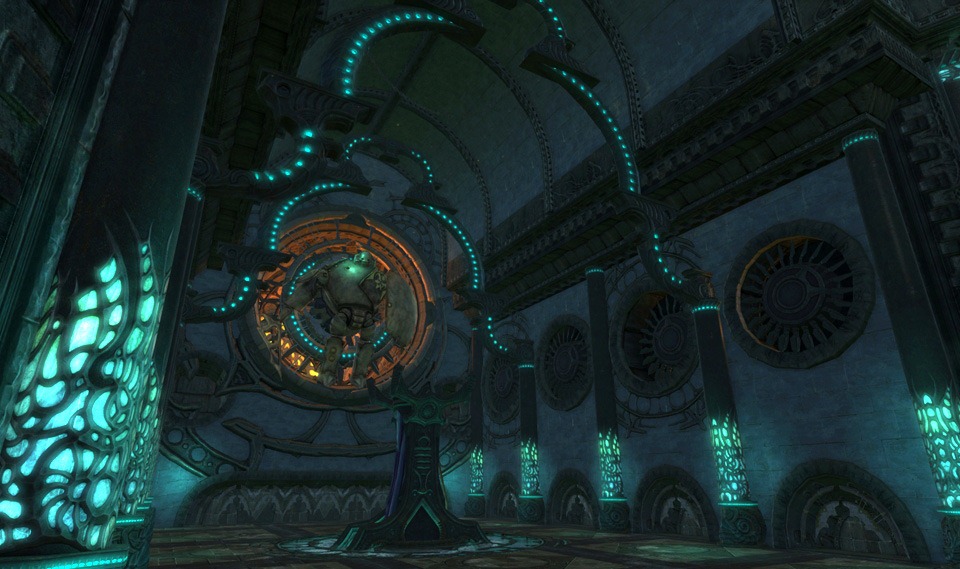
On top of this, the dungeons themselves have a creepy natural feel to them.  You can almost feel the dust being disturbed under your feet as your party explores them.  The above image is from the end of Iron Tomb, the entry level Defiant dungeon in Freemarch.  Notice how each of the surfaces exudes texture, as they are filled with careful carvings and decorations placed there once upon a time to honor the dead.  Having run numerous other dungeons, I have yet to see any of the assets in Iron Tomb show up elsewhere.  Each zone feels like it was crafted just for its purpose.

A World of Substance

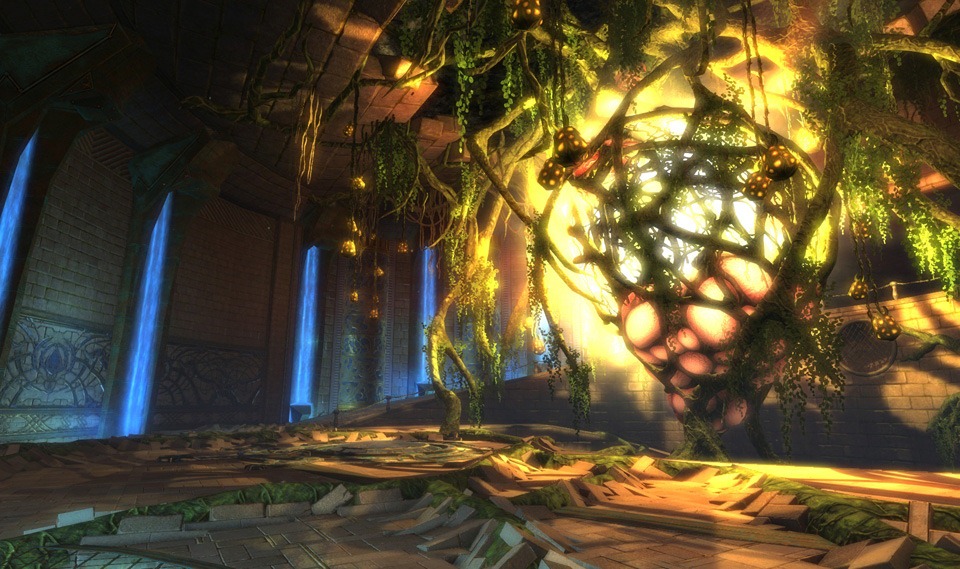
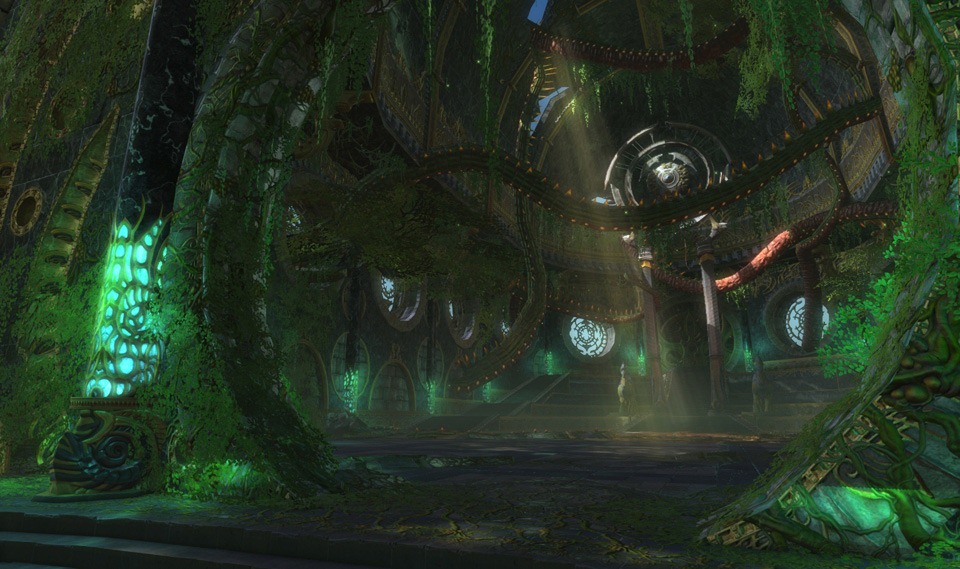
wysbpr_06_FaeGrove

One of the arguments I have seen on the WoW Fan sites, is that because Rift has shied away from the slapstick humor and blatant pop culture parody, that it lacks a “soul”.  I think the exact opposite is true, like the titles that influenced Blizzard, Trion takes it’s game world very seriously and to me it exudes soul.  So many times in an MMO you do things that seem to have no purpose.  If you are asked to go to a town and rescue the villagers, it is often times from generic cartoon thugs.

wysbpr_06_icewatch

From the very start of the game you are immersed in a diverse tree of factions, each with their own methods, goals and objectives.  To the best of my knowledge, Rift has no nameless faceless meaningless cartoon thugs. The world is besieged by the Dragon Cults, who collectively seek to spread the influence of the dragons they champion.  In other games, where the dragons represent elemental aspects, they are often times benevolent forces that shape mankind.  In the world of Telara, the Dragons are cruel selfish creatures that want to seize control of the world for their own means.

wysbpr_03_abyssaltakeover

In Freemarch you are introduced into this conflict first with the Endless Court.  This group of cultists worship Regulos the Destroyer, the dragon of death.  The Endless Court harness the power of death to bear against you a multitude of undead abominations.  As you move through the zone you begin to encounter the Abyssals, a cult waging warfare on Freemarch from the depths of the Lake of Solace.  This group is devoted to the water dragon Akylios, and with it brings an unspeakable legion of deepspawn and water elementals.

wysbpr_06_Silverwood

On the Guardian side, in Silverwood you have two central conflicts, that of the Aelfwar and the Wanton.  House Aelfwar are a xenophobic group splinter cell of High Elves devoted to Greenscale, the Dragon of life.  Lead by Prince Hylas, they seek to destroy civilization and remake the world in a primordial jungle.  Diametrically opposed to the Aelfwar, are The Wanton.  These monstrous humanoids, namely goblins and dragonians, worship Maelforge, the dragon of fire and revel in senseless violence and brutality.  The Wanton will not be satisfied until every person has been slain, every forest burned, and every village ransacked all in a carnal sacrifice to their dragon god.

wysbpr_06_thingar

So each time I read one of the complaints that this game lacks soul, I keep asking myself.  Are these players playing the same game I have been?  I came to Rift with a pretty open mind, because quite honestly I wasn’t expecting much from it.  I sat on a beta key for six months, and finally the discussions started to make me curious enough to download the 8 gig client on my crappy DSL connection.  Going into it, expecting nothing, I was shocked and amazed by the vibrant and polished world I found.

wysbpr_06_crimsongorge_firerift

Thing is a few months down the road, and a month into the live release I am still amazed by the world of Telara.  Trion has shown a level of attentiveness to its players that I have not seen ever during my tenure of playing MMOs.  Since release we have seen 10 hot fixes, 2 patches, with the first major content patch set to roll out this Wednesday.  This level of dedication, to the game and to the world they have created truly is, why you should be playing rift.

Why You Should Be Playing Rift: 05 – User Interface

Instead of my customary cut & paste introduction to the concept of WYSBPR, today I thought I would throw out a thank you to Aenerb a friend of mine from my guild Eye of the Manastorm on the Shadefallen server.  When he submitted my series of posts to the reddit rift feed, I doubt he realized that it would actually grow legs and run (and I honestly didn’t even know about the reddit feed in the first place).  Yesterday my readership went from an average of 60-90 unique readers a day to over 700.  Reminds me of the few times I got featured on wow insider, certainly skews the analytics a bit.

 wysbpr_logo

Episode 05:  The User Interface

wysbpr_05_default_userinterface For some time I had been a wow tourist.  As a new game came out, I would wander off and play it in alpha, beta, and very rarely release but always return home to wow.  The very first make or break component of any of these games was the user interface.  If the UI felt obtrusive, and difficult to manage it was not long before I quit playing.  The ones I have played for any length of time (WoW, Everquest II, Warhammer Online) all had one thing in common, a UI that was easily modifiable by the player.

Above is an image of the default Rift user interface elements.  I created a new character for the purpose of screenshots, so no worries folks I have not gone to the dark side and swapped factions.  For the most part, the above is also the source of the majority of “it’s just like wow” complaints, because visually the UI elements do look a lot like WoW and LoTRO went out and had a lovechild.  All the stock modern MMO constructs are there, the mini-map, the hotbar, the floating chat window, the bag bar, and for some reason all games seem to top-left dock the player fames.

Breaking The Mold

Personally I have never liked the stock MMO layout.  The unit frames for example seem completely foreign for them to be in the upper left corner.  When you are playing an MMO all of the action seems to happen at your character, so to me, having them player and target frames in the center of the screen makes more logical sense.  Less time spent looking away from your character, less lag in your reactions.  As a result I have very specific desires for what my UI should look like.  While it seems horribly wrong I will illustrate the point with what my raid interface looked like in wow before I quit raiding and left the game.

wysbpr_05_wowinterface To get things the way I wanted them in wow, was doable, but it meant I had to run over 50 different add-ons to get the various effects I wanted.  Each time a major patch would come out, it meant the long and annoying process of figuring out exactly what was broken, finding updates and dealing with the fact that your UI settings seemed to get corrupted on a regular basis.  On top of that there was always the fact that anytime you attempted to get support, the immediate first response was to blame any add-ons you were using.

wysbpr_05_myUIlayoutMidRift

I am very happy to say the era of the add-on is finally behind me.  In Rift I was able to very quickly, a few moments after starting the game move things around and change the UI to look the way I wanted it to without any external modification.  If you look at the two screenshots, the layout is pretty similar.  All the key elements I wanted from WoW add-ons are here, and overall I feel like the effect is much cleaner.  Granted the screenshot above is pretty busy considering we were working on an invasion boss.

Making It Happen

wysbpr_05_UIsettings_editorAbove is a picture of the ‘Edit Layout” interface inside of Rift.  Since I am keyboard oriented I acces it by hitting escape to bring up the options menu, and then choosing the “Edit Layout” option.   This places the game into a mode where you can move components of your user interface around.  The concept is pretty simple, each UI element has a bounding box drawn around it, and you can drag them around the screen to place them where you like.

This is by no means a brand new concept to the MMO world.  I can remember while playing Warhammer Online thinking their UI layout editor was extremely elegant.  Rift however goes one step further.  One of the big problems with moving things from their default places, is that as the windows grow, they often overlap and cover up necessary parts of other windows.  Rift has solved this by allowing users to dock windows together. 

If you notice above some of the windows show a thick golden highlight alone one or more of the edges.  This denotes that these windows have been docked together.  For example if you move the window labeled “Group Portrait 1” in the above image, it will also move all the other group portraits and pet portraits keeping the group enact.  This means as your windows grow, your initial UI design stays neatly together.

While you cannot see it in this image, in addition to docking windows together, you can dock elements to the edges of the screen.  When you drag a window close to the edge, a green highlighted edge will appear.  This means that window will be docked to that edge of the screen.  Currently you can only dock a window to one edge at a time, but the nice feature of doing this means as you change resolutions, your layout will remain roughly the same.

Going Even Further

wysbpr_05_importSettingsMontageOne of the biggest frustrations that comes with running with a non-stock layout in most games is figuring out a way to replicate your design to other characters.  In WoW, you had to go through the process of copying LUA files from one character directory to another.  In other games, I never actually found a way and just had to try my best to replicate things by hand.  Trion thought ahead and included an elegant way of doing this out of the box.

Again being keyboard oriented, I usually access the options menu by hitting the escape key.  From this menu choose the Import option, as shown in the above montage image, which will bring up the import settings interface.  On the left side of the screen is a listing of all your characters with some pertinent information about them and on the left a series of checkboxes.  This will let you import key bindings, ui layout, macros, chat settings, game settings, and misc settings from the target character to your currently logged in character.  When you hit the import button you are given a prompt, also shown, that warns you any changes will be permanent.

wysbpr_05_importsettings_afterimport Now if we return to my dwarven placeholder, you can see that I have applied the UI settings from my warrior Belghast, and the UI layout has changed to match my preferences.  Several minutes of awkward cut and paste work done in seconds with a nice clean UI.  One of the weird things to get used to with Rift is the fact that, ALL of your primary settings are stored with your account information on the server.  I’ve never played a game in the past that had done this, so it was equal parts shocking and awesome when I logged in for the first time from my laptop and everything about Belghast was set up the way I wanted it.  The only glitch however was that my laptop and desktop run at different resolutions.  So as a result I use different UI scaling settings on each machine. 

After a few minutes of digging around I found a simple and elegant solution for this.  Rift has a pair of commands, /exportui <filename> and /importui <filename>, that help to bridge this gap between my systems.  Doing an exportui, dumps all of your user interface settings to a file on your hard drive, and doing the importui command refreshes those settings from the file.  So when I log into my desktop I type /importui desktop, and when I log into my laptop I type /importui laptop to quickly scale things to fit either machine.

The Future

One of the neat benefits of this system, might not be apparent at first.  Since these commands dump and import your settings from a file on your file system, it will allow you to trade UI layouts with your friends.  Currently there is not much that can be done in the UI that could not be replicated quickly by another user.  However since they have already added additional features to the user interface since release, I can see at some point the level of customization will allow users to create a very unique look and feel they might want to share.

Without a doubt, this is the most robust user interface in an MMO to date.  No other MMO ever comes close to letting its users have this much control over their environment without installing third party modifications.  Currently Trion has hinted that add-ons might be something for the future, but with an interface this well designed I am not sure exactly what can be improved upon.  If they do choose to do add-ons, it would be nice to see them plug-in cleanly into the existing interface, instead of replace it. 

I can imagine a time where the user might be able to browse in game a list of available third party add-ons and snap them in without having to hit external sources.  An internal “app store” would allow Trion to assure the quality of the add-ons, and keep them from doing anything terribly exploitative.  This way add-ons that do more than re-organize data, can be nipped in the bud before actually having an effect on the community.  As a reformed add-on junkie, it is my hope that Rift stays clean and free of “make or break” third party features.